


The Trueffles Guide
Map. Connect. Understand. The easy way.
The Trueffles Guide
Learn. Search. Discover.
The easy way.
Here is a quick 4 minutes video to get you started!
Here is a quick 4 minutes video to get you started!
Table of contents
About your mind mapping tool
Your Map
Your
Map

About the community
The Universe

Learn how to make a map
Trueffles Space
Trueffles Space: create your map
A Trueffles Space is your workspace where you create, edit, and organize your knowledge and ideas in smart maps.
Here are the key features:
Workspace overview and detail view – See overview (= the canvas on the left) and detail view of selected Trueffles or connections (section on the right) at the same time.
Create, connect, style and organize Trueffles and connections – Create, name and style circles, draw connections and name them.
Add a profile and details – Create a short profile for each Trueffle or connection and fill them with more detailed info.
Speed it up with T.A.I. – The Trueffles AI helps you find information and fill out your map faster.
Vocabulary for T.A.I.
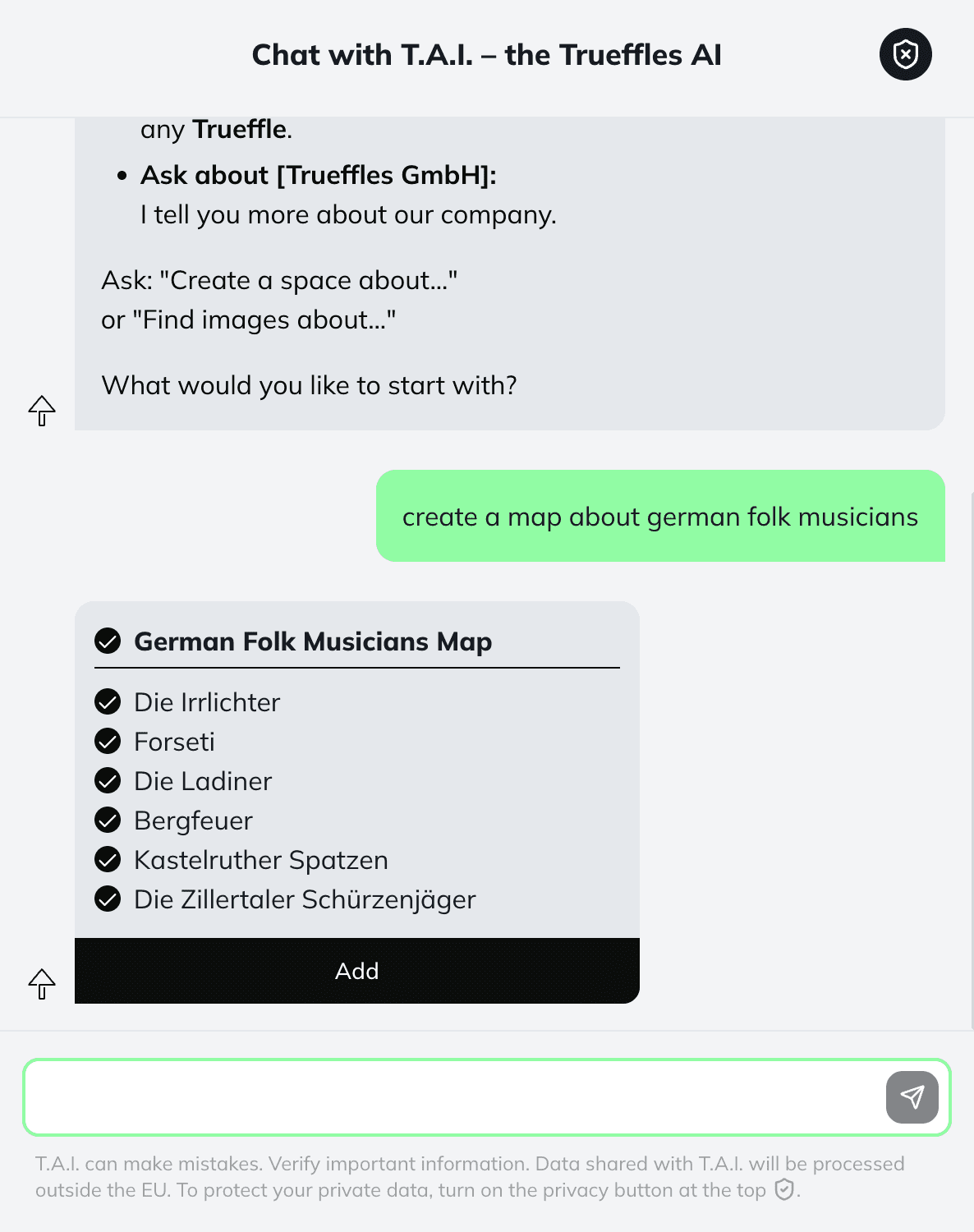
To generate a map use
"Map/Space"
"Map/Space"
as keyword
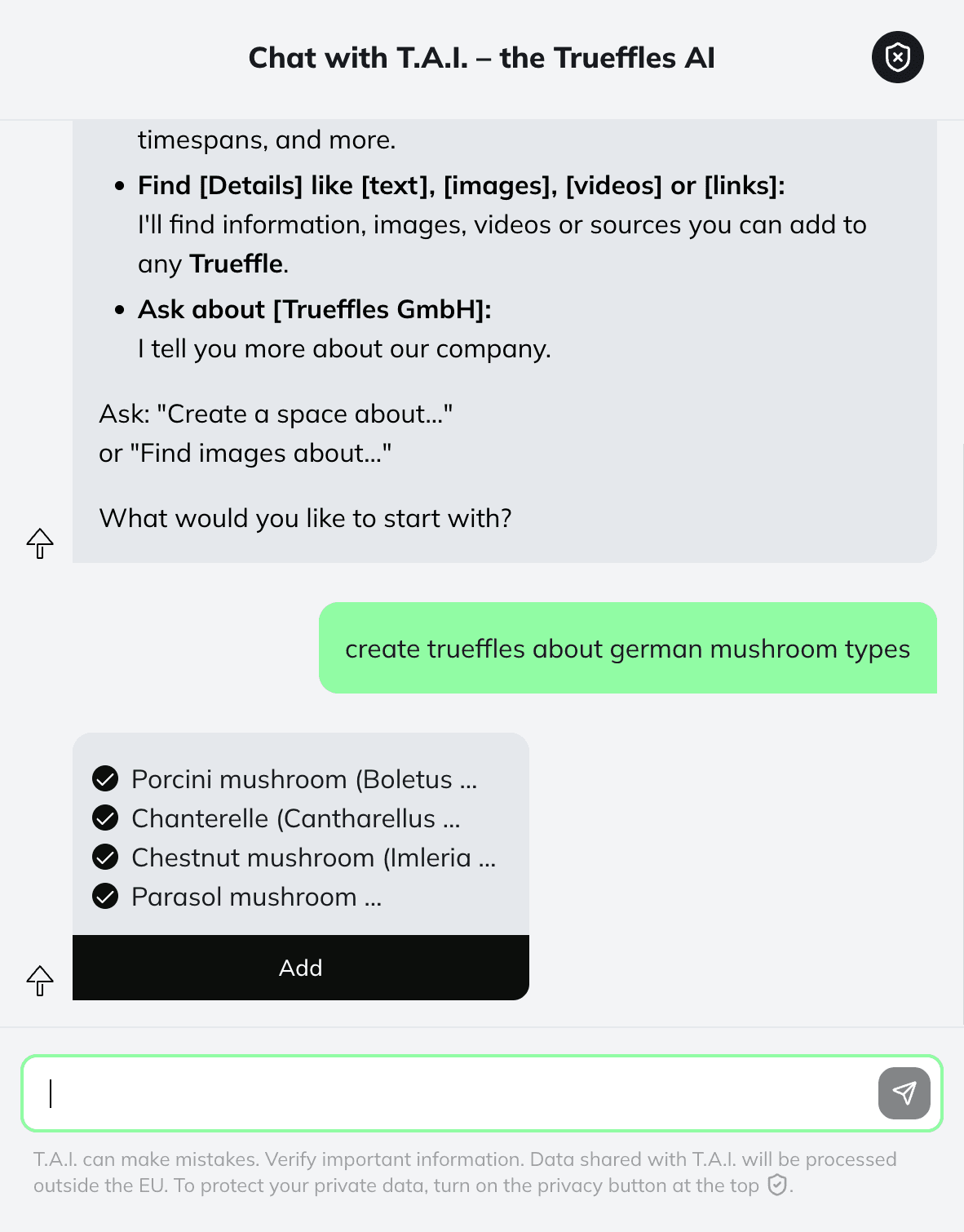
To generate a list of circles use
"Trueffles"
"Trueffles"
as keyword
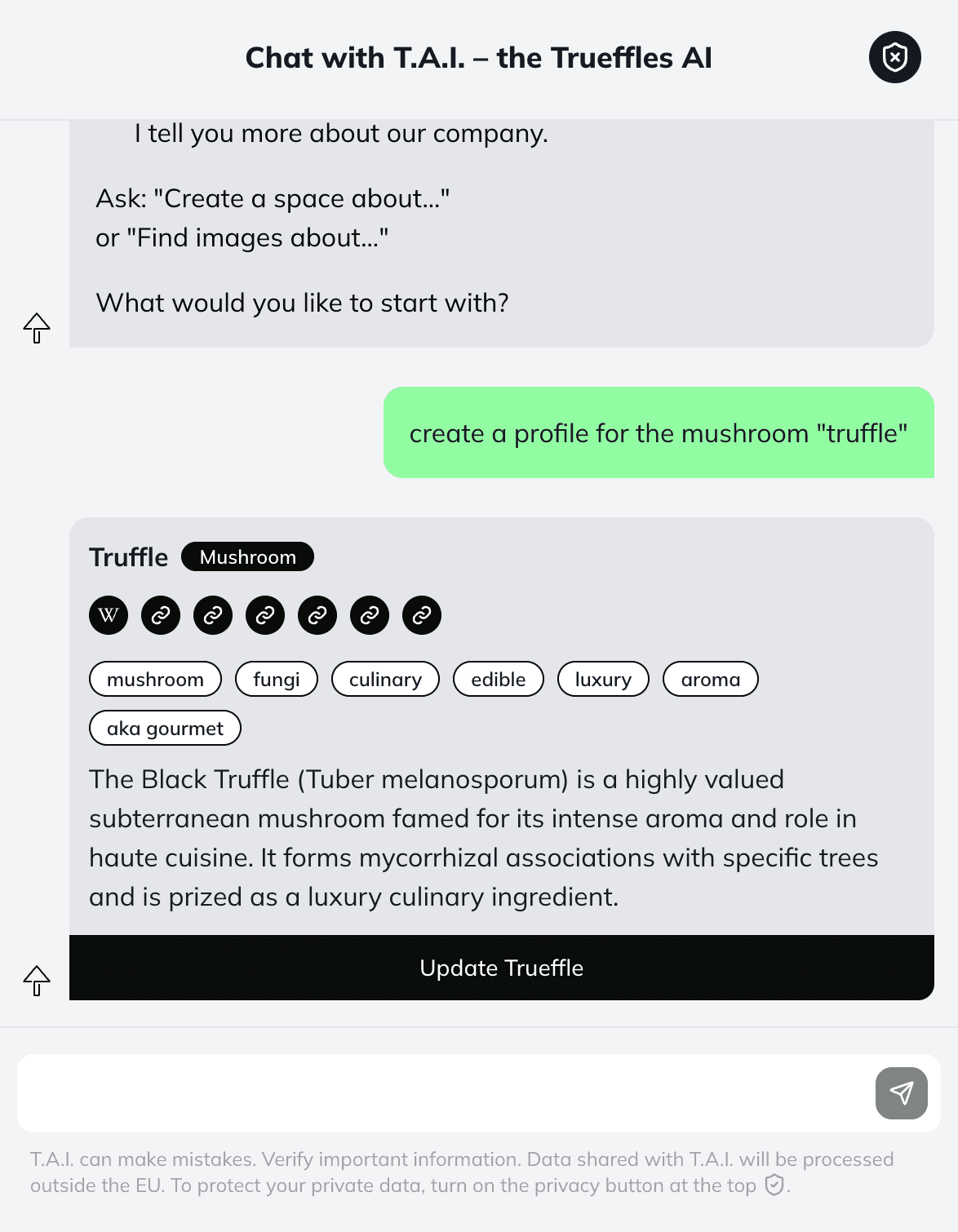
To fill out a Trueffle Profile use
"Profile"
"Profile"
as keyword
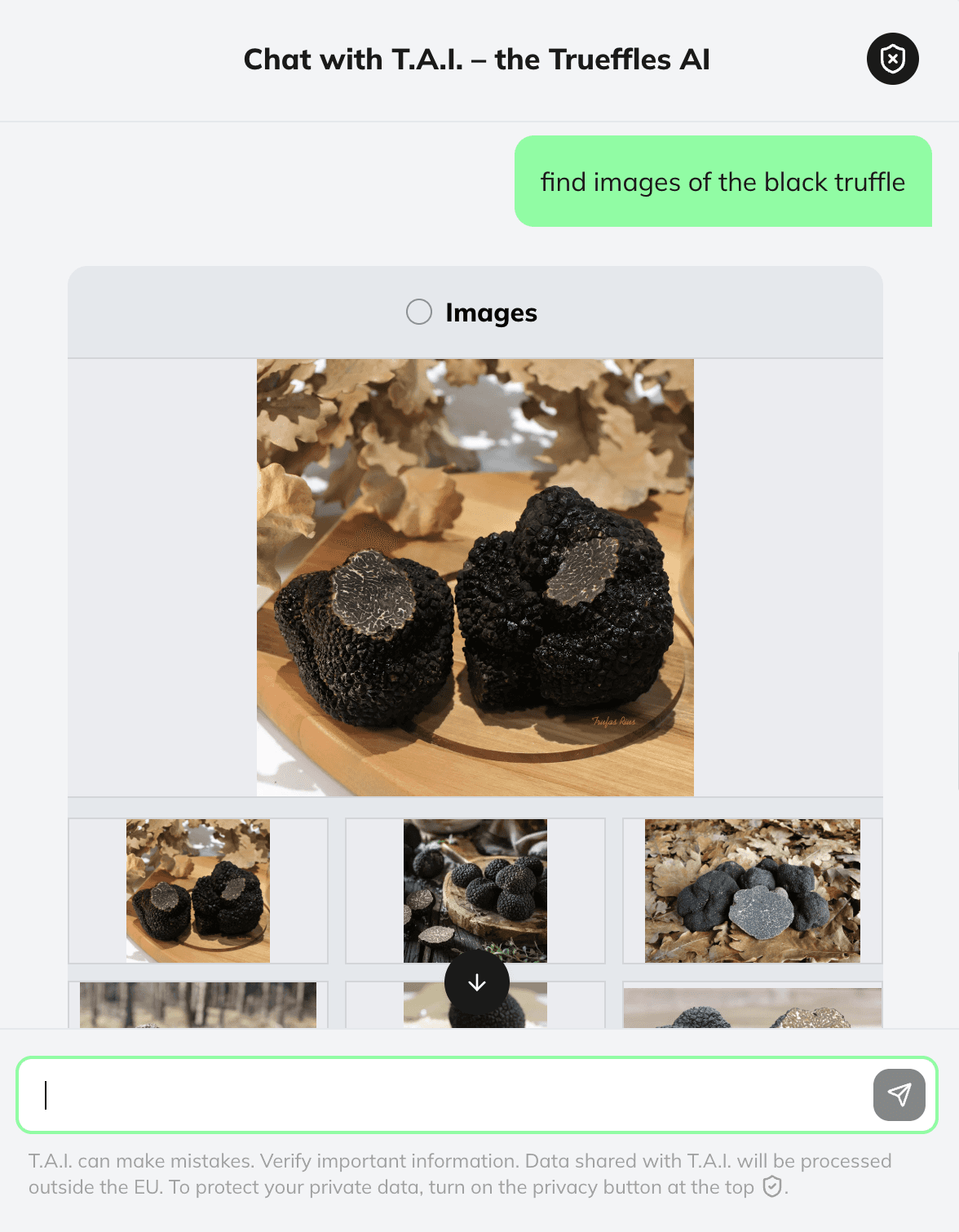
To generate images use
"Images/Pictures"
"Images/Pictures"
as keyword
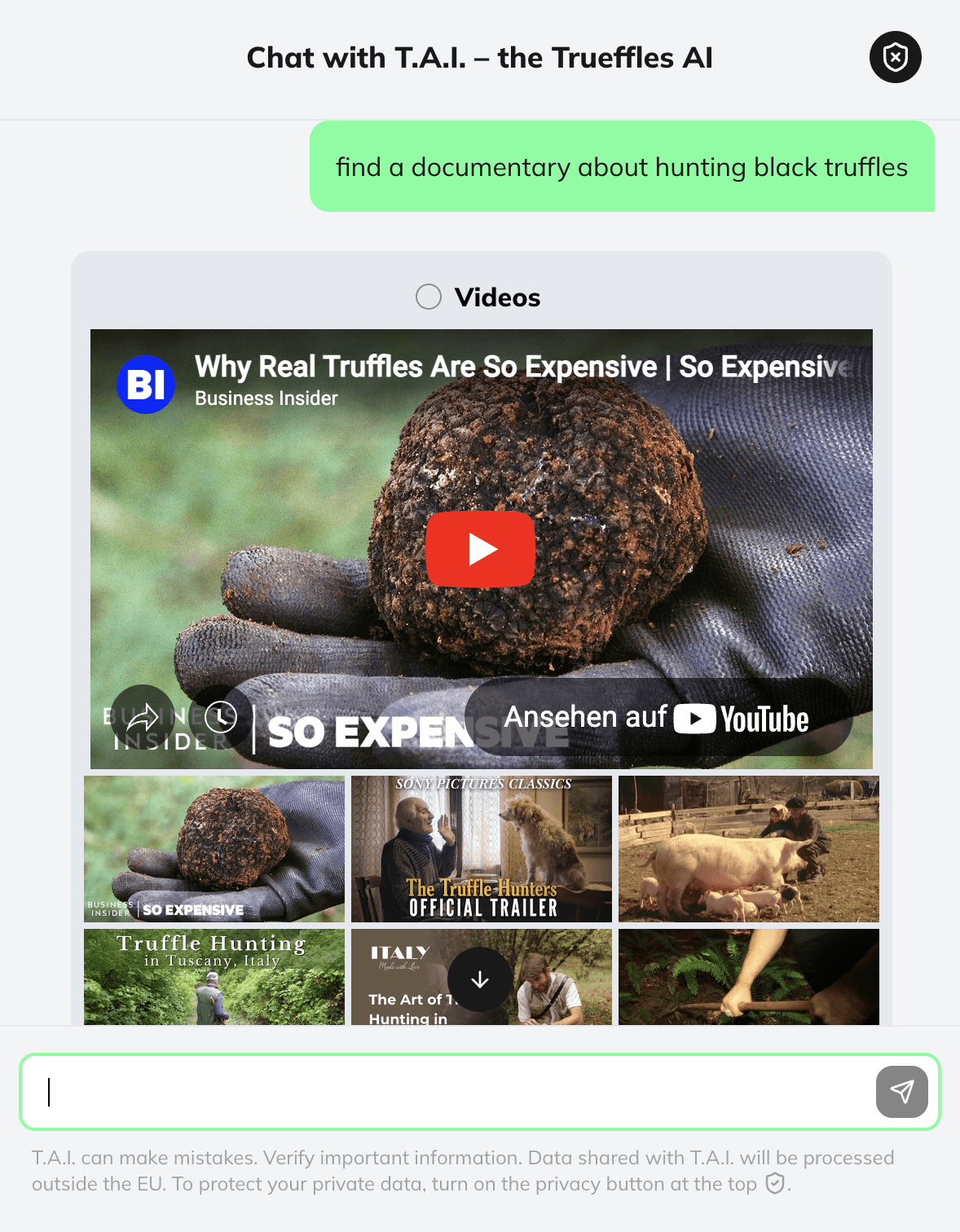
To generate videos use
"Videos"
"Videos"
as keyword
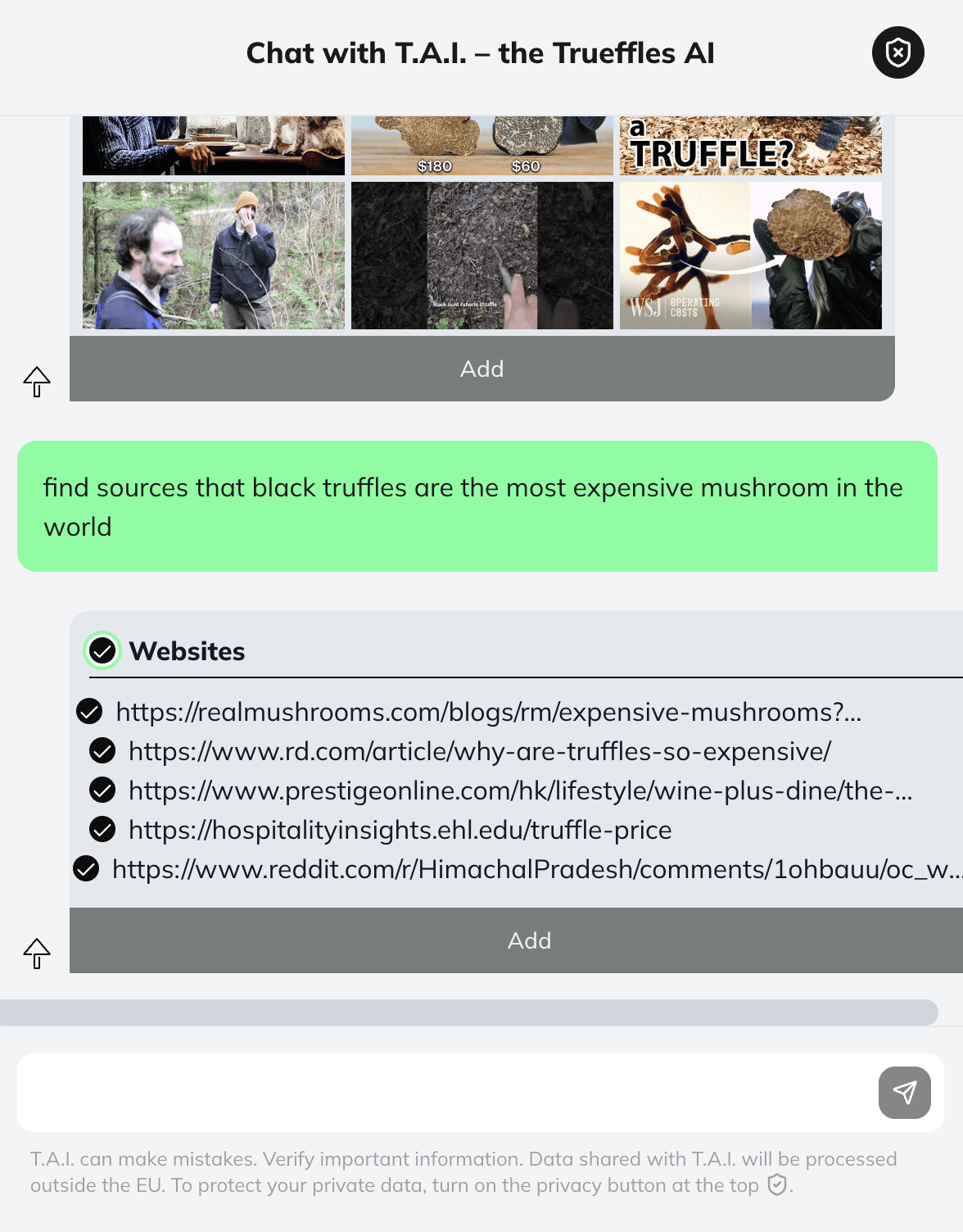
To find sources use
"Sources/Links/URLs"
"Sources/Links/URLs"
"Source/Link/URL"
as keyword
Learn where you administer your maps
Trueffles Cockpit
Trueffles Cockpit: here you collect your maps and adjust settings

The Trueffles Cockpit is your personal dashboard where you can manage and create your own (work)Spaces, your collected workspaces that were created by the community, your profile settings and access the community .
Here’s what you’ll find:
Your own (work)Spaces – View and manage Trueffles Spaces that you have created. You can search through them, mark them as favourites, filter, duplicate, share and publish them.
Collected Spaces – Access Spaces from other users that you have saved.
Your profile – Manage your profile and account settings like upgrading your account or setting your profile to public.
Community Overview – Discover the broader Trueffles community and mark others as your favourites.
Get inspiration from others
Trueffles Universe
Trueffles Universe: browse all published maps
The Trueffles Universe is where all published maps appear. This is the public knowledge-sharing area of Trueffles.
Here’s how it works:
Explore published Spaces – Discover what others have created.
Duplicate maps – Clone a map and keep building on it yourself.
Follow other Explorers – Follow other thinkers.
Need more support?
Reach out via support@trueffles.com
Need more support?
Reach out via support@trueffles.com
Stay informed.
Sign up to our Trueffles news to follow our updates.
Stay informed.
Sign up to our Trueffles news to follow our updates.
Stay informed.
Sign up to our Trueffles news to follow our updates.
Your Questions Answered
How is this different from Notion, Miro and Obsidian?
Notion is great for documents, Miro for whiteboards, and Obsidian for personal knowledge management. Trueffles is built for thinking. Instead of organizing information in pages, canvases, or folders, Trueffles helps you visually connect ideas, discover relationships, and develop thoughts as they evolve. It combines the clarity of mind mapping with AI-powered exploration, so you can go from a rough idea to a structured understanding in minutes. Think less "where should I store this?" and more "how does this connect?"
What can I actually use it for?
Trueffles helps you think through ideas, research topics, and turn scattered information into structured understanding. For everyone – Brainstorm ideas and projects – Explore complex topics visually – Organize knowledge and insights – Break down problems into manageable parts – Plan strategies, goals, and decisions For writers – Develop article and book outlines – Connect themes, arguments, and story ideas – Structure long-form content before writing – Overcome writer's block by exploring related concepts – Embed interactive maps alongside books or articles so readers can explore relationships and context For journalists – Research topics from multiple angles – Map connections between people, events, and sources – Organize interview notes and findings – Build clearer narratives from complex information – Embed interactive maps in articles to increase engagement and help readers explore complex stories For students – Understand difficult subjects faster – Create visual study maps for exams – Connect concepts across courses and disciplines – Turn notes into structured knowledge For researchers, founders, consultants, and curious minds – Explore new markets and opportunities – Structure research projects – Develop business strategies and roadmaps – Make sense of large amounts of information If you're trying to understand, develop, or communicate an idea, Trueffles can help.
Do I need any mind-mapping experience?
Not at all. Most people start using Trueffles without any prior experience with mind maps. Simply enter a topic, question, or idea, and start exploring. The visual structure emerges naturally as you add thoughts and connections. You don't need to learn a methodology first. Trueffles is designed to feel intuitive from the first minute, whether you're a writer, student, journalist, researcher, or simply a curious thinker.
What are T.A.I. Credits?
T.A.I. stands for Trueffles AI – the magic that turns your scattered thoughts into visual maps. Every time you ask Trueffles to generate, expand, or refine a map, it uses a handful of credits. Think of them as the fuel for your AI-powered explorations. A simple map costs around 15 credits; a large, complex one can use up to 90. The richer the map, the more thinking the AI does – so your credits stretch further on focused topics than on sprawling ones.
What happens when I run out of credits?
For now, nothing dramatic – your existing maps stay exactly where they are, and you can keep editing them by hand. You just won't be able to generate new AI maps until your monthly pool resets (or you upgrade). If you're stuck mid-project and really need a few more, just drop us a line at support@trueffles.com – we're real humans, and we'd rather help than watch you stop mapping.
Can I buy extra credits on top of my plan?
Not at the moment – your monthly credit pool is what's included in your plan. Credit top-ups are on our roadmap, and if that's something you'd love to see sooner, tell us at support@trueffles.com.
Can I cancel my subscription?
Of course – anytime. Your plan stays active until the end of your current billing period (month or year), and then you automatically drop back to Free.
Will my yearly subscription renew automatically?
Yes. Your yearly plan renews on the same date each year so you don't lose access mid-project. You can cancel anytime from your account if you'd rather not continue. No surprise charges.
What happens to my Spaces if I downgrade?
Nothing gets deleted. If you move back to Free, you'll keep access to your three most recent Spaces. The rest stay safely tucked away in your account, untouched. The moment you upgrade again, all of them come right back, exactly as you left them. Your work is yours – we're just holding it for you.
Is my data secure?
Yes, all of your (and our) data is safely stored on EU servers.
Your Questions Answered
How is this different from Notion, Miro and Obsidian?
Notion is great for documents, Miro for whiteboards, and Obsidian for personal knowledge management. Trueffles is built for thinking. Instead of organizing information in pages, canvases, or folders, Trueffles helps you visually connect ideas, discover relationships, and develop thoughts as they evolve. It combines the clarity of mind mapping with AI-powered exploration, so you can go from a rough idea to a structured understanding in minutes. Think less "where should I store this?" and more "how does this connect?"
What can I actually use it for?
Trueffles helps you think through ideas, research topics, and turn scattered information into structured understanding. For everyone – Brainstorm ideas and projects – Explore complex topics visually – Organize knowledge and insights – Break down problems into manageable parts – Plan strategies, goals, and decisions For writers – Develop article and book outlines – Connect themes, arguments, and story ideas – Structure long-form content before writing – Overcome writer's block by exploring related concepts – Embed interactive maps alongside books or articles so readers can explore relationships and context For journalists – Research topics from multiple angles – Map connections between people, events, and sources – Organize interview notes and findings – Build clearer narratives from complex information – Embed interactive maps in articles to increase engagement and help readers explore complex stories For students – Understand difficult subjects faster – Create visual study maps for exams – Connect concepts across courses and disciplines – Turn notes into structured knowledge For researchers, founders, consultants, and curious minds – Explore new markets and opportunities – Structure research projects – Develop business strategies and roadmaps – Make sense of large amounts of information If you're trying to understand, develop, or communicate an idea, Trueffles can help.
Do I need any mind-mapping experience?
Not at all. Most people start using Trueffles without any prior experience with mind maps. Simply enter a topic, question, or idea, and start exploring. The visual structure emerges naturally as you add thoughts and connections. You don't need to learn a methodology first. Trueffles is designed to feel intuitive from the first minute, whether you're a writer, student, journalist, researcher, or simply a curious thinker.
What are T.A.I. Credits?
T.A.I. stands for Trueffles AI – the magic that turns your scattered thoughts into visual maps. Every time you ask Trueffles to generate, expand, or refine a map, it uses a handful of credits. Think of them as the fuel for your AI-powered explorations. A simple map costs around 15 credits; a large, complex one can use up to 90. The richer the map, the more thinking the AI does – so your credits stretch further on focused topics than on sprawling ones.
What happens when I run out of credits?
For now, nothing dramatic – your existing maps stay exactly where they are, and you can keep editing them by hand. You just won't be able to generate new AI maps until your monthly pool resets (or you upgrade). If you're stuck mid-project and really need a few more, just drop us a line at support@trueffles.com – we're real humans, and we'd rather help than watch you stop mapping.
Can I buy extra credits on top of my plan?
Not at the moment – your monthly credit pool is what's included in your plan. Credit top-ups are on our roadmap, and if that's something you'd love to see sooner, tell us at support@trueffles.com.
Can I cancel my subscription?
Of course – anytime. Your plan stays active until the end of your current billing period (month or year), and then you automatically drop back to Free.
Will my yearly subscription renew automatically?
Yes. Your yearly plan renews on the same date each year so you don't lose access mid-project. You can cancel anytime from your account if you'd rather not continue. No surprise charges.
What happens to my Spaces if I downgrade?
Nothing gets deleted. If you move back to Free, you'll keep access to your three most recent Spaces. The rest stay safely tucked away in your account, untouched. The moment you upgrade again, all of them come right back, exactly as you left them. Your work is yours – we're just holding it for you.
Is my data secure?
Yes, all of your (and our) data is safely stored on EU servers.
Your Questions Answered
How is this different from Notion, Miro and Obsidian?
Notion is great for documents, Miro for whiteboards, and Obsidian for personal knowledge management. Trueffles is built for thinking. Instead of organizing information in pages, canvases, or folders, Trueffles helps you visually connect ideas, discover relationships, and develop thoughts as they evolve. It combines the clarity of mind mapping with AI-powered exploration, so you can go from a rough idea to a structured understanding in minutes. Think less "where should I store this?" and more "how does this connect?"
What can I actually use it for?
Trueffles helps you think through ideas, research topics, and turn scattered information into structured understanding. For everyone – Brainstorm ideas and projects – Explore complex topics visually – Organize knowledge and insights – Break down problems into manageable parts – Plan strategies, goals, and decisions For writers – Develop article and book outlines – Connect themes, arguments, and story ideas – Structure long-form content before writing – Overcome writer's block by exploring related concepts – Embed interactive maps alongside books or articles so readers can explore relationships and context For journalists – Research topics from multiple angles – Map connections between people, events, and sources – Organize interview notes and findings – Build clearer narratives from complex information – Embed interactive maps in articles to increase engagement and help readers explore complex stories For students – Understand difficult subjects faster – Create visual study maps for exams – Connect concepts across courses and disciplines – Turn notes into structured knowledge For researchers, founders, consultants, and curious minds – Explore new markets and opportunities – Structure research projects – Develop business strategies and roadmaps – Make sense of large amounts of information If you're trying to understand, develop, or communicate an idea, Trueffles can help.
Do I need any mind-mapping experience?
Not at all. Most people start using Trueffles without any prior experience with mind maps. Simply enter a topic, question, or idea, and start exploring. The visual structure emerges naturally as you add thoughts and connections. You don't need to learn a methodology first. Trueffles is designed to feel intuitive from the first minute, whether you're a writer, student, journalist, researcher, or simply a curious thinker.
What are T.A.I. Credits?
T.A.I. stands for Trueffles AI – the magic that turns your scattered thoughts into visual maps. Every time you ask Trueffles to generate, expand, or refine a map, it uses a handful of credits. Think of them as the fuel for your AI-powered explorations. A simple map costs around 15 credits; a large, complex one can use up to 90. The richer the map, the more thinking the AI does – so your credits stretch further on focused topics than on sprawling ones.
What happens when I run out of credits?
For now, nothing dramatic – your existing maps stay exactly where they are, and you can keep editing them by hand. You just won't be able to generate new AI maps until your monthly pool resets (or you upgrade). If you're stuck mid-project and really need a few more, just drop us a line at support@trueffles.com – we're real humans, and we'd rather help than watch you stop mapping.
Can I buy extra credits on top of my plan?
Not at the moment – your monthly credit pool is what's included in your plan. Credit top-ups are on our roadmap, and if that's something you'd love to see sooner, tell us at support@trueffles.com.
Can I cancel my subscription?
Of course – anytime. Your plan stays active until the end of your current billing period (month or year), and then you automatically drop back to Free.
Will my yearly subscription renew automatically?
Yes. Your yearly plan renews on the same date each year so you don't lose access mid-project. You can cancel anytime from your account if you'd rather not continue. No surprise charges.
What happens to my Spaces if I downgrade?
Nothing gets deleted. If you move back to Free, you'll keep access to your three most recent Spaces. The rest stay safely tucked away in your account, untouched. The moment you upgrade again, all of them come right back, exactly as you left them. Your work is yours – we're just holding it for you.
Is my data secure?
Yes, all of your (and our) data is safely stored on EU servers.

Trueffles is the visual knowledge workspace that helps individuals and teams organize, research and share complex information – with depth, structure and clarity.
Trueffles is the visual knowledge workspace that helps individuals and teams organize, research and share complex information – with depth, structure and clarity.
Trueffles is the visual knowledge workspace that helps individuals and teams organize, research and share complex information – with depth, structure and clarity.